Free Chrome extension for students

The key points of any article, highlighted as you read.

Frisk marks the most important sentences right in the text, sums up the page, and answers your questions with the exact sentences that back them up.

No accountNo adsOnly runs when you click it
How it works

One click. No copy and paste.

Frisk works on the page you're already reading, so you never leave the article.

Open an articleA news story, a Wikipedia page, a blog post, an online textbook chapter.
Click the iconOr press Alt + R. Key points appear in about two seconds.
Read, ask, listenSkim the highlights, check the summary, or ask a question about the page.
Key points

See what matters without leaving the page.

The side panel keeps a short summary and every key point next to the article. Click one and the page jumps straight to it.

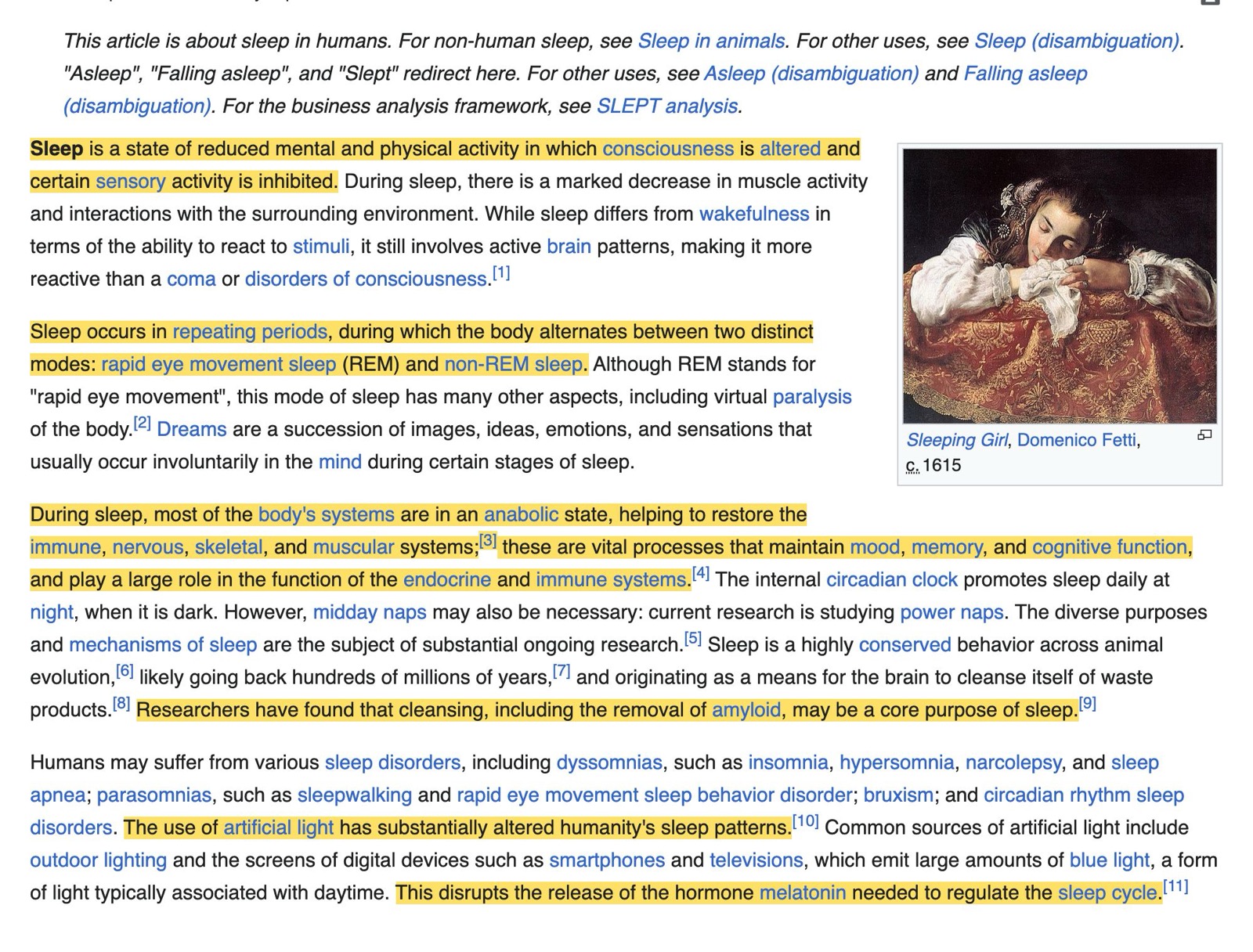
  • Highlights in the text itself, so you read the important parts in context.
  • A summary up top, each line linked to the sentence it came from.
  • Follows along as you scroll, marking the points on your screen.
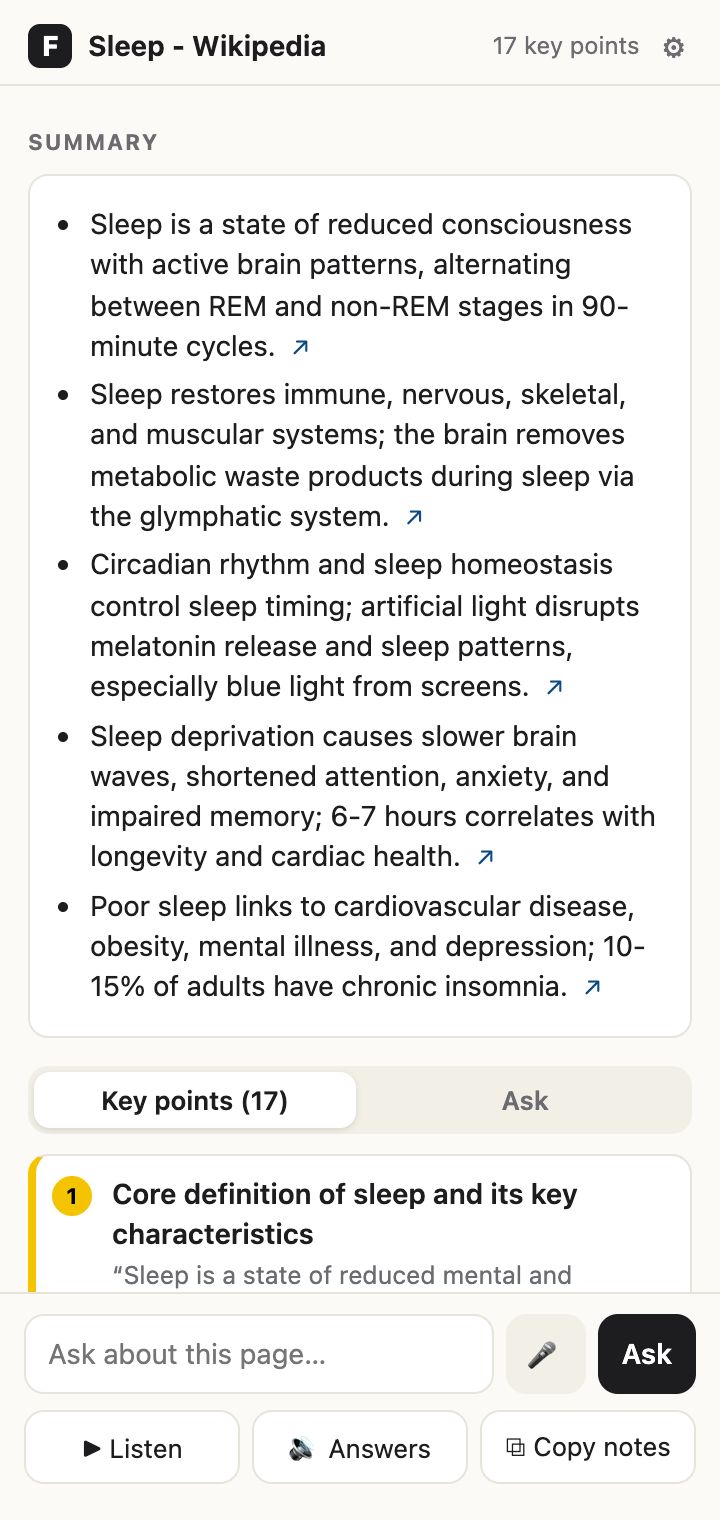
Frisk's side panel: a five-point summary of the Sleep article and the first key point
Ask about the page

Answers you can check.

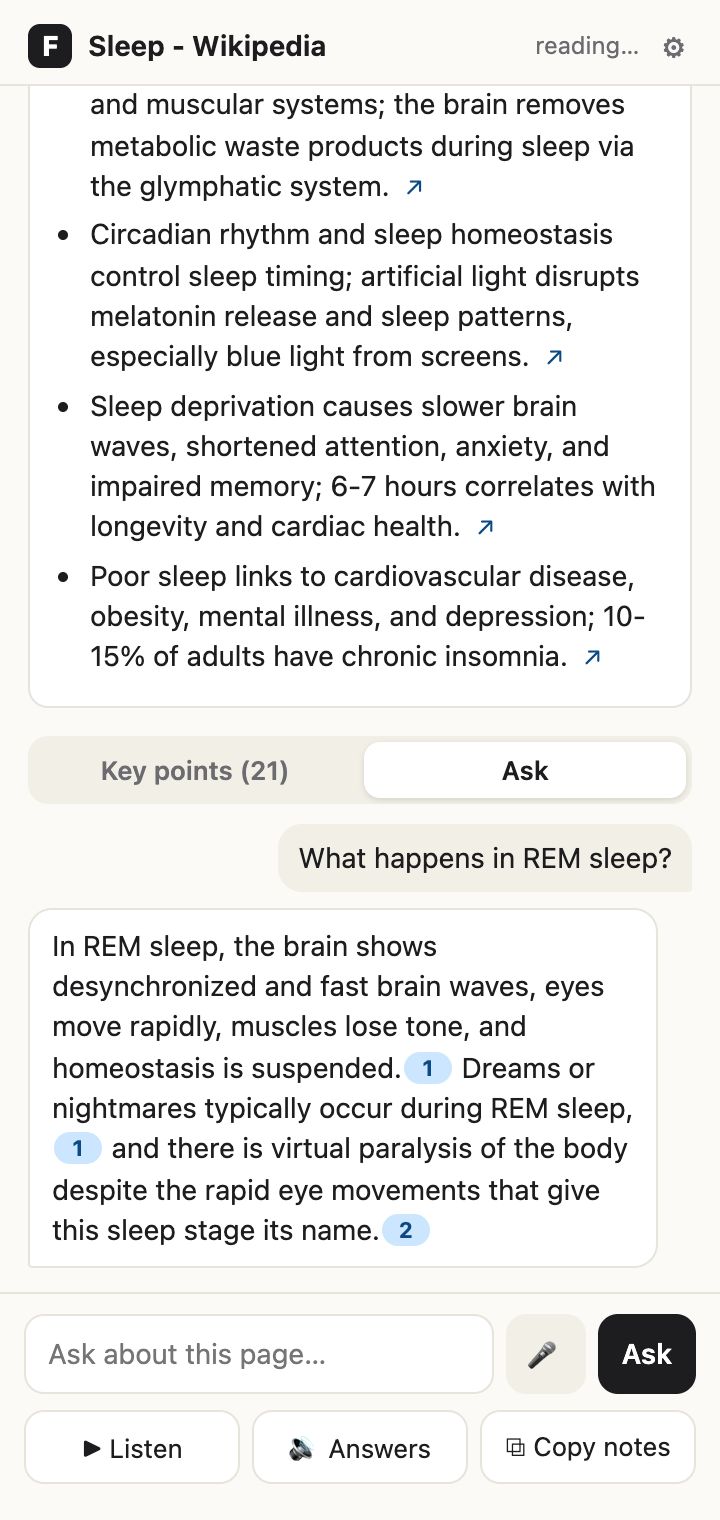
Type a question or just say it. Frisk answers only from the article and lights up the sentences it used, so you can see the proof yourself.

  • Every claim is numbered and linked to a sentence on the page.
  • Ask out loud with the microphone and hear the answer read back.
  • If the page doesn't say, Frisk tells you instead of making something up.
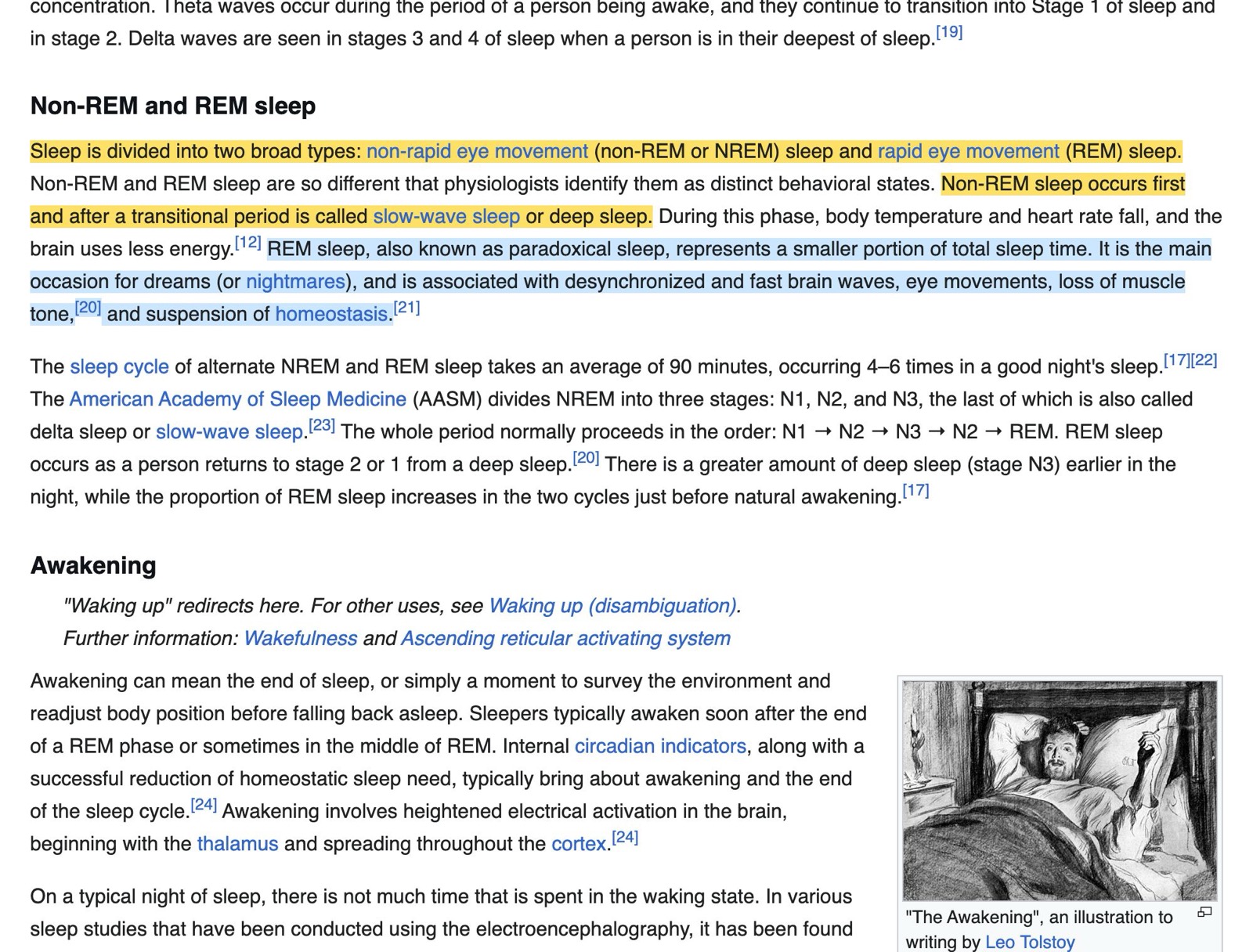
The article with the sentences behind the answer highlighted in blue
The question 'What happens in REM sleep?' answered with three numbered citations
Read aloud

Listen while you follow along.

Frisk reads the key points, or the whole article, and highlights each word as it's spoken. Great for long readings, tired eyes, or reading on the go.

  • Key points only for a two-minute audio skim.
  • Whole article from wherever you are on the page.
  • Your voice, your speed, from 0.75× to 2×.
Sleep occurs in repeating periods, during which the body alternates between two distinct modes: rapid eye movement sleep and non-REM sleep.
⏸Key pointsWhole1.25x3/19
Make it yours

Your colors, your pace.

Pick a highlight color, light or dark mode, text size, and how many highlights you want on the page. Your settings follow you to any Chrome you sign in to.

  • Fewer or more highlights, or keep the page clean and use only the panel.
  • Four highlight colors and four text sizes.
  • Choose the voice and speed for reading aloud.
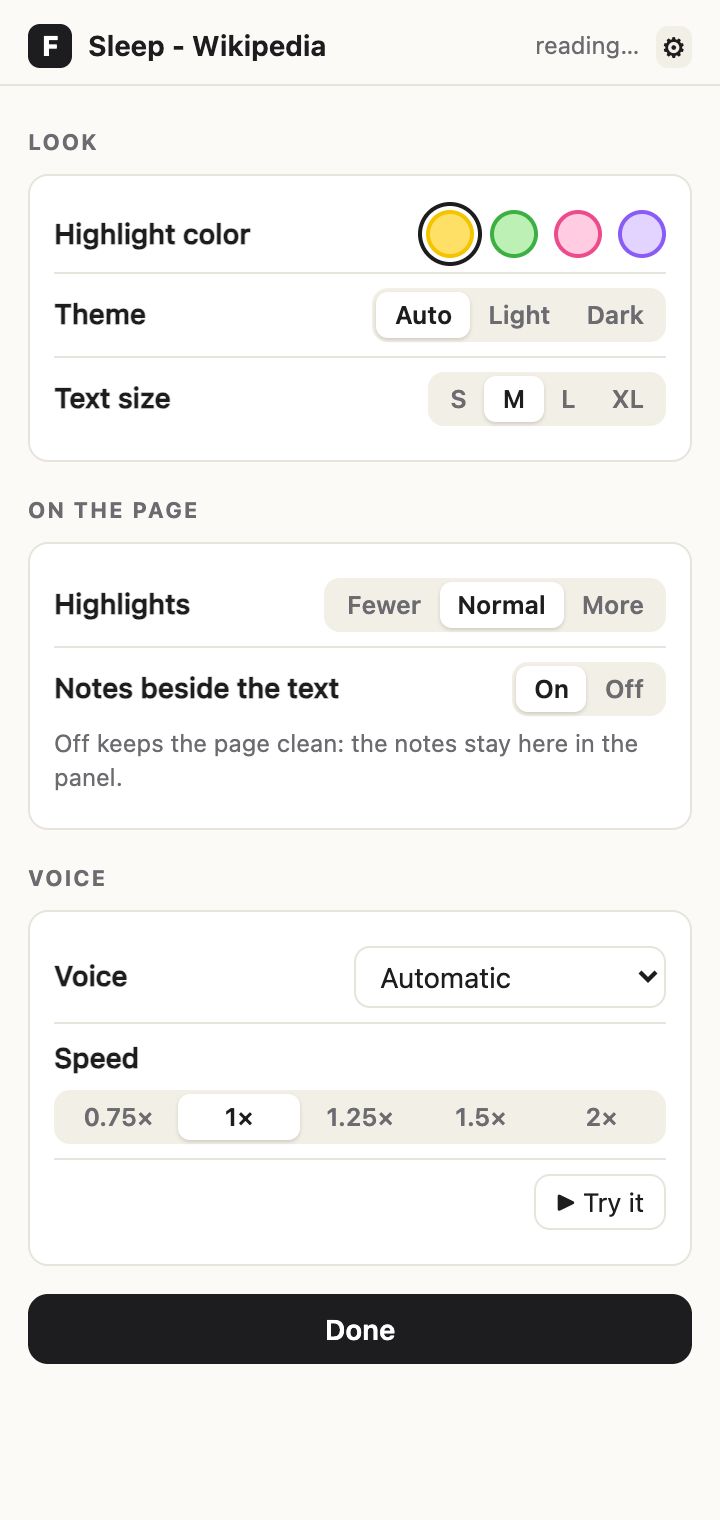
Frisk's settings: highlight color, theme, text size, number of highlights, notes, voice and speed
Privacy

Built to stay out of your business.

Frisk reads a page only when you click it, and only to find its key points.

👆
Only when you clickFrisk can't see a page until you click its icon on that page. Everything else you browse stays private.
🗑️
Nothing keptThe article text is used to find key points and answer your question, then dropped. No reading history, no profile.
🚫
No ads, no accountNo sign-up, no email, nothing sold. Read the privacy policy.
FAQ

Questions

Is Frisk free?

Yes. Frisk is free to install and use, with a generous daily limit.

Which pages does it work on?

Articles: news sites, Wikipedia, blogs, online textbooks and most pages with a main block of text. PDFs and Google Docs aren't supported yet. If a page can't be read, the Frisk icon shows a red ✕ so you know.

Does it do my homework for me?

No. Frisk shows you where the important parts of a reading are and answers questions only from that page, always pointing to the sentence it used. You still do the reading and the thinking, just faster.

Does it work on a school Chromebook?

On most. Some school networks block new websites until they're reviewed; if Frisk says it can't reach its server, ask your school's IT to allow friskserver.com.

Who made Frisk?

A high school student who wanted a faster way to get through long readings for class. Feedback goes straight to the person building it: use the contact link on the Chrome Web Store page.

Read smarter, starting with your next article.

Add Frisk to Chrome in one click. It's free.

Add to Chrome